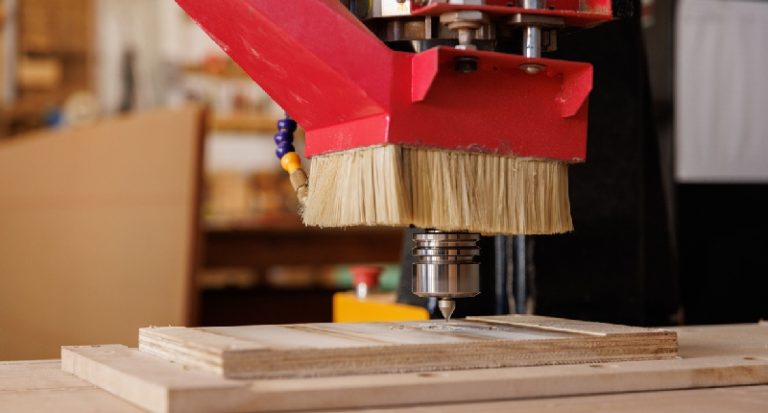
Getting your hands on a CNC Router is a bit like adopting a high-maintenance pet—powerful, capable, but in need of regular attention. Whether you’re cranking out custom shelves in your garage or making parts for clients, the bottom line is the same: look after your machine, and it’ll look after you.
There’s a lot of advice out there, but not all of it is worth your time. Let’s cut through the noise and focus on what really keeps your CNC Router running smoothly.
1. Dust Is Your Enemy — Clean Like You Mean It
You’d be surprised how fast dust piles up. Wood chips, plastic curls, even the tiniest metal shavings sneak into rails, bearings, and electronics. Then the real trouble starts: skipping steps, overheating, and all sorts of gremlins that ruin good work.
Make it a ritual. After each job, take a few minutes with a vacuum or soft brush (or compressed air—carefully) to clear out debris. Get into corners. Wipe down surfaces. Your future self will thank you when your router’s still humming like new months down the line.
2. A Little Lube Goes a Long Way
Too much grease is worse than none at all. When oil mixes with dust, it turns into a gritty sludge that grinds down the parts it’s supposed to protect.
Instead of overdoing it, follow your router’s manual and apply the right lubricant in the right spots—usually linear rails, lead screws, and bearings—every 20 to 40 hours of runtime. Just enough to keep things moving smoothly. Easy does it.
3. Recalibrate Before Things Go Sideways
Ever noticed a part coming out slightly off, even though the design was spot-on? That’s your cue: your router might be drifting.
A monthly calibration check on the X, Y, and Z axes can keep your cuts crisp. Especially after changing a spindle or releveling your table. Better to catch it early than waste materials on a bad batch.
4. Software Isn’t Set-and-Forget
Your router’s firmware and control software are just as critical as the physical hardware. Outdated software can lead to quirky behavior, crashes, or even compatibility issues with your CAM files.
Check for updates every few weeks. But back up your machine settings before you click that install button—sometimes updates wipe things clean.

5. Wires Wiggle Loose — Check Them
Between the constant motion and vibrations, it’s only a matter of time before a cable works itself loose or a connector starts acting up.
Every week or so, do a quick visual check. Look for frayed cables, signs of rubbing, or any loose connections near moving parts. Tighten what’s loose. Replace what looks sketchy. It’s boring work—but way less annoying than chasing random glitches mid-project.
6. Spindle Care = Clean Cuts
If your spindle sounds different or starts leaving burn marks, something’s up. Bearings wear out. Fans clog. Collets collect gunk.
Take time every couple of weeks to clean the spindle body, inspect the collet, and listen for odd noises. Replacing bearings before they fail completely can save your materials and your sanity.
7. Keep a Notebook — Seriously
Yes, even in the digital age. Logging your maintenance might seem like overkill, but it’ll save you headaches. You’ll start to notice patterns, like that rattle always returning after 40 hours or the spindle acting up when it gets too warm.
Use a simple notebook or spreadsheet. Log what you cleaned, what you lubed, what sounded weird. Future you will appreciate the breadcrumbs.
CNC Router Maintenance: Final Word
You don’t have to be a pro technician to keep a CNC Router running well. Just build a habit: clean it, oil it, calibrate it, check for updates, and give it a once-over every now and then.
Your CNC Router isn’t just a tool—it’s a teammate. Treat it with care, and it’ll return the favor with clean, precise cuts and a longer life. No drama, just results.